Step 5 of 13
Connect your ORCID iD
ORCID is the free, persistent identifier used by journals, funders and institutions worldwide. Connecting it does two things: it verifies that you are who you say you are, and it imports your employment, education and publication history so you don't have to retype it.
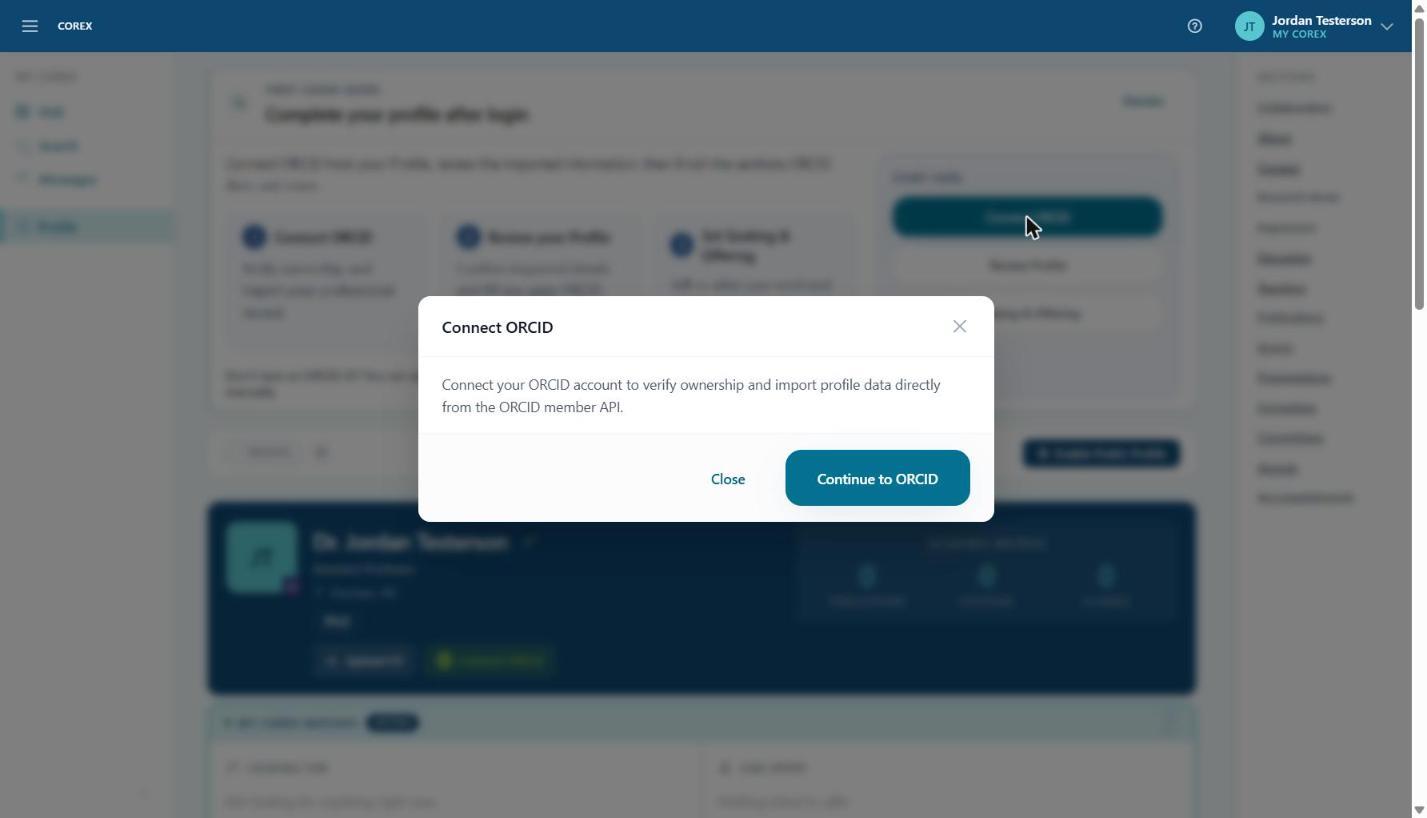
- 1On your Profile, click Connect ORCID — either in the Start Here panel or the green button in your profile header.
- 2Read the confirmation and click Continue to ORCID.
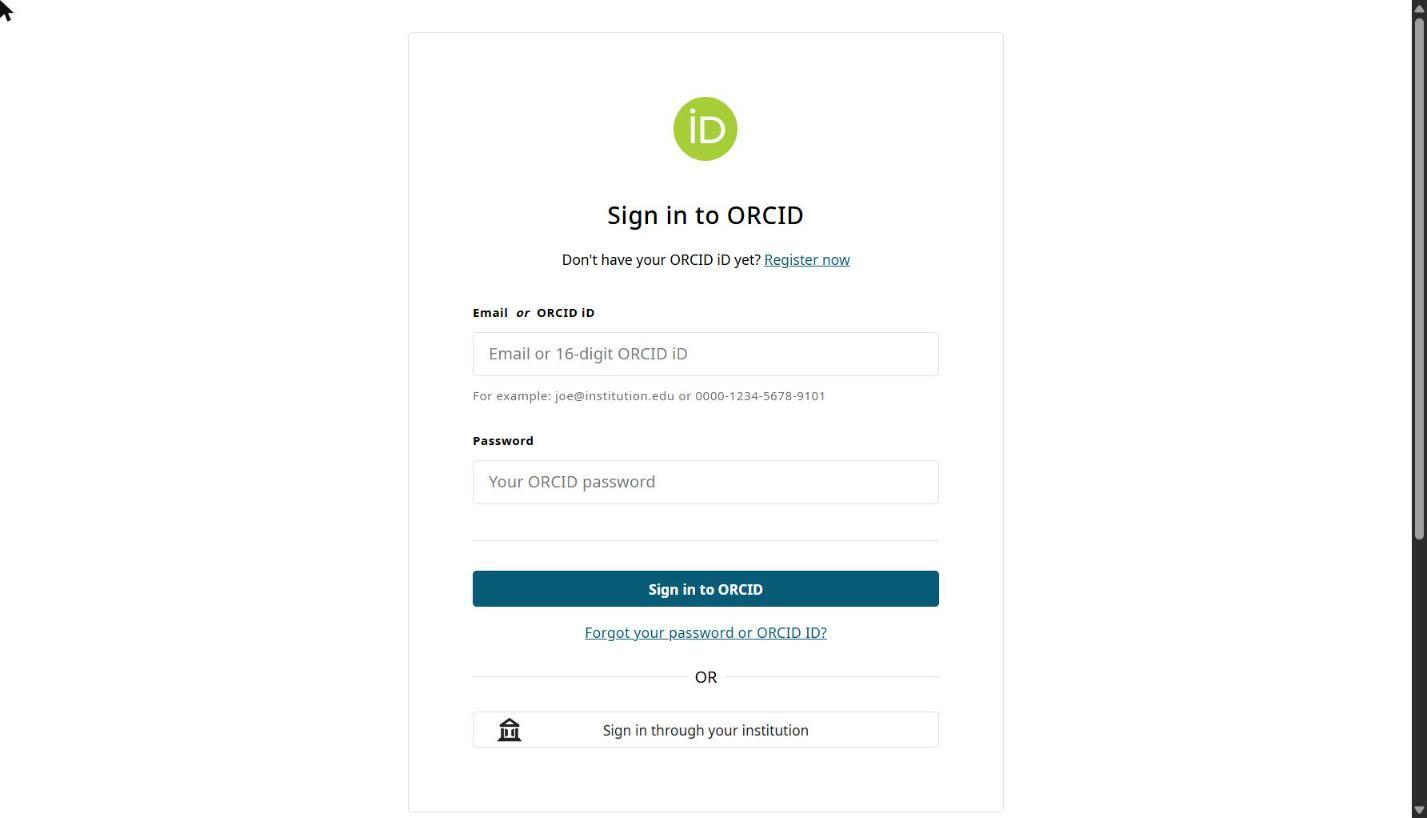
- 3You're sent to orcid.org. If you aren't already signed in there, sign in with your ORCID email (or 16-digit iD) and ORCID password.
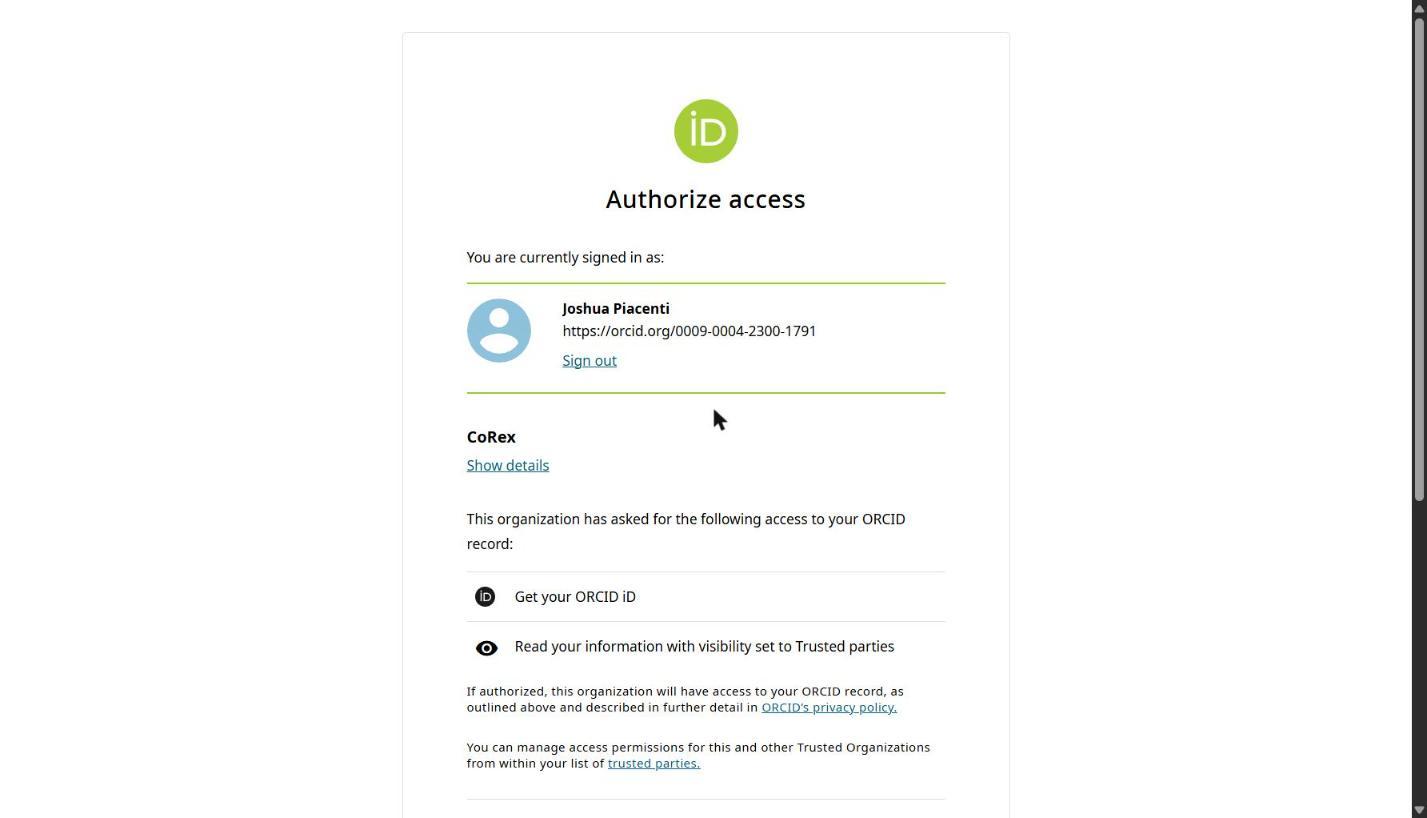
- 4On the Authorize access screen, check that the requesting organization is CoRex and click Authorize access. Corex asks only to read your iD and the parts of your record you've made visible to trusted parties — it never writes to your ORCID record.
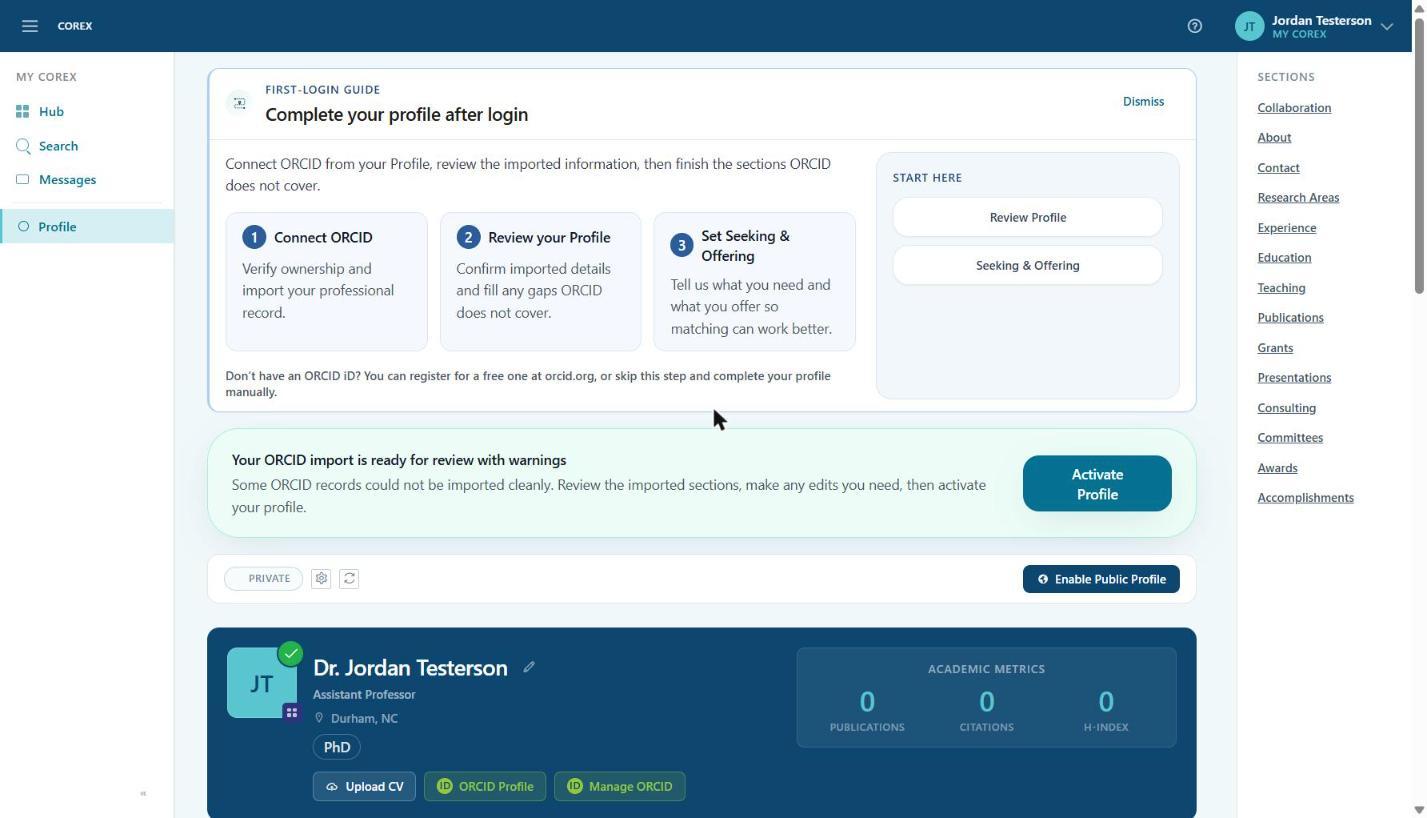
- 5You're returned to your Corex profile. Wait a moment for the page to refresh.
What gets imported
- Experience — from ORCID Employment.
- Education — from ORCID Education and qualifications.
- Publications — from ORCID Works; these also drive the Publications count in your Academic Metrics.
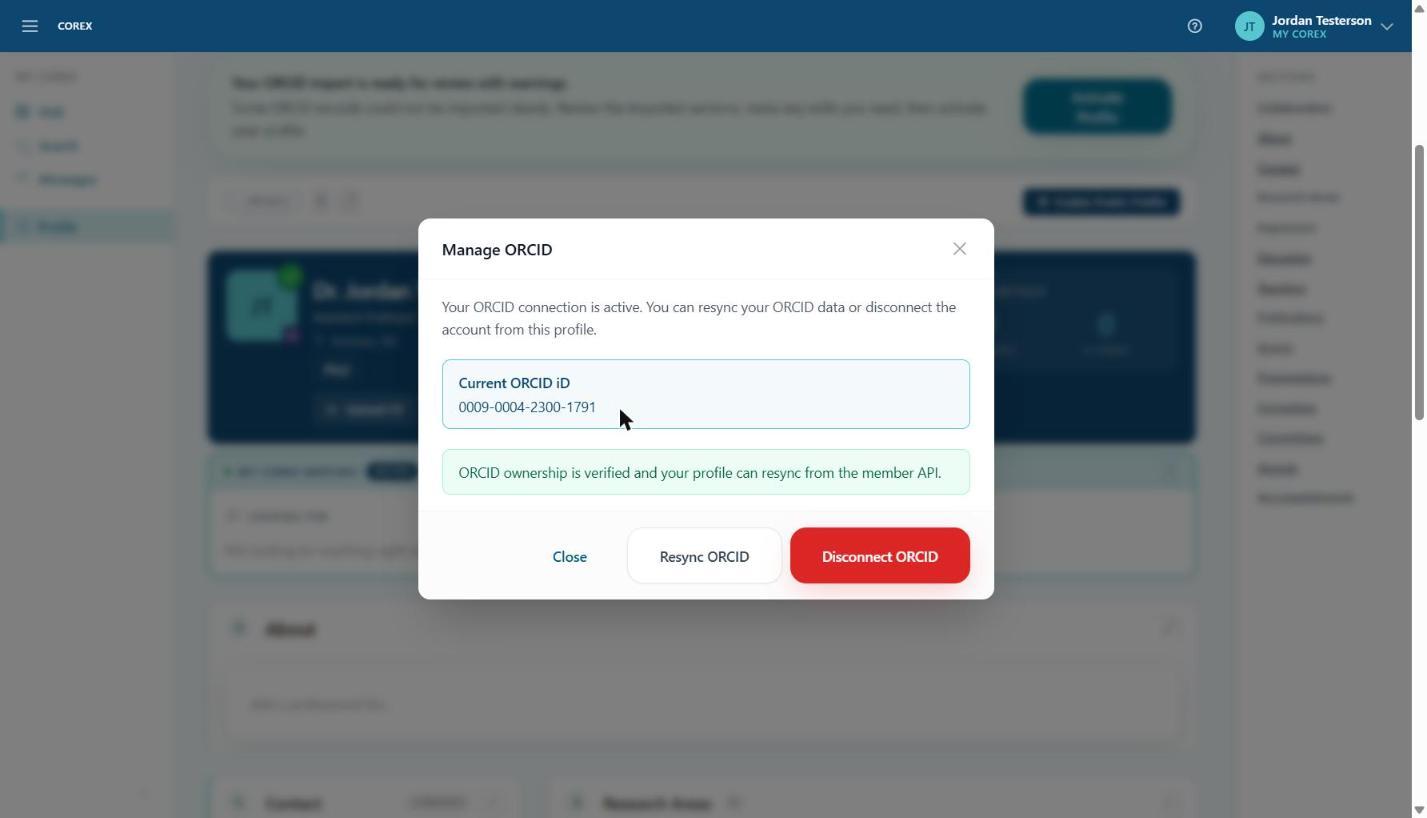
Managing the connection
Click Manage ORCID in your profile header at any time to see your linked iD, pull fresh data with Resync ORCID, or Disconnect ORCID. Disconnecting keeps the data already on your profile; it just stops future syncs and removes the verification badge.
Don't have an ORCID iD?
Registering takes about two minutes at orcid.org/register. You can skip this step and fill in your profile manually — Corex works either way — but a verified ORCID connection increases trust with sponsors and collaborators.