Step 3 of 13
Set your password and sign in
Corex emails you a one-time link to choose your password. This confirms that you own the email address.
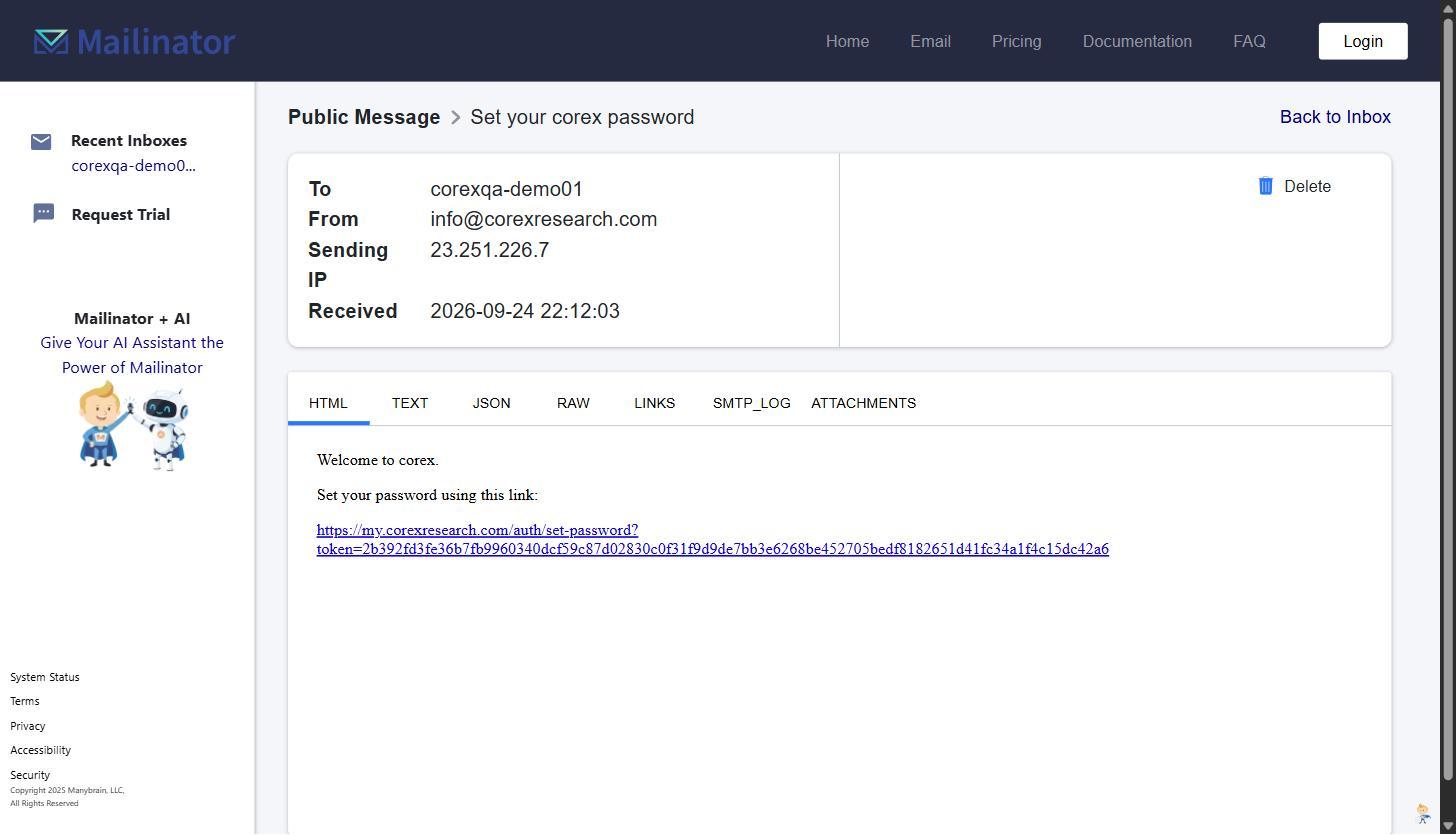
- 1Open your inbox and find the email Set your corex password from
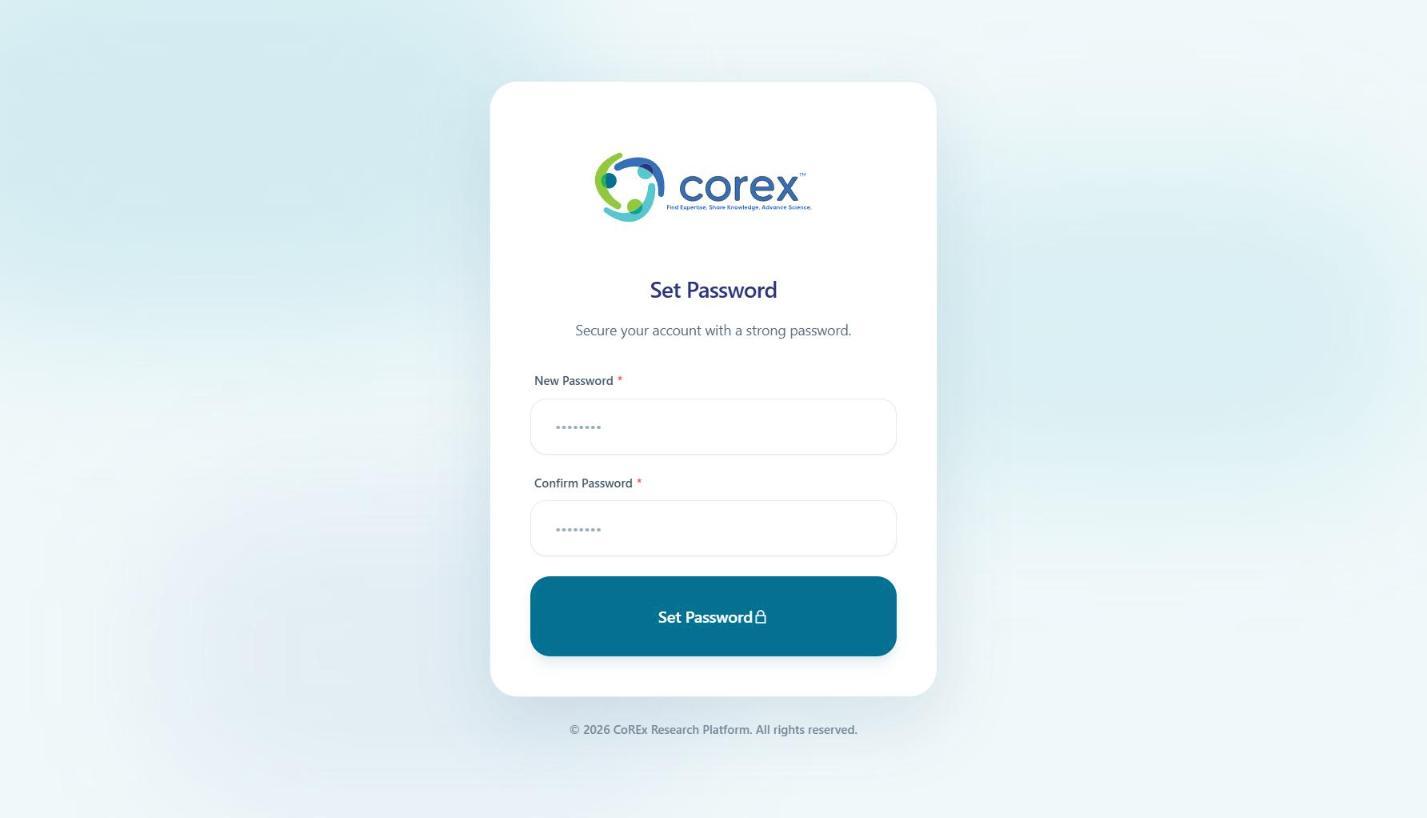
[email protected]. It usually arrives within a minute; check spam or junk folders if you don't see it. - 2Click the link in the email. It opens the Set Password page.
- 3Enter a password of at least 8 characters that includes a number, confirm it, and click Set Password.
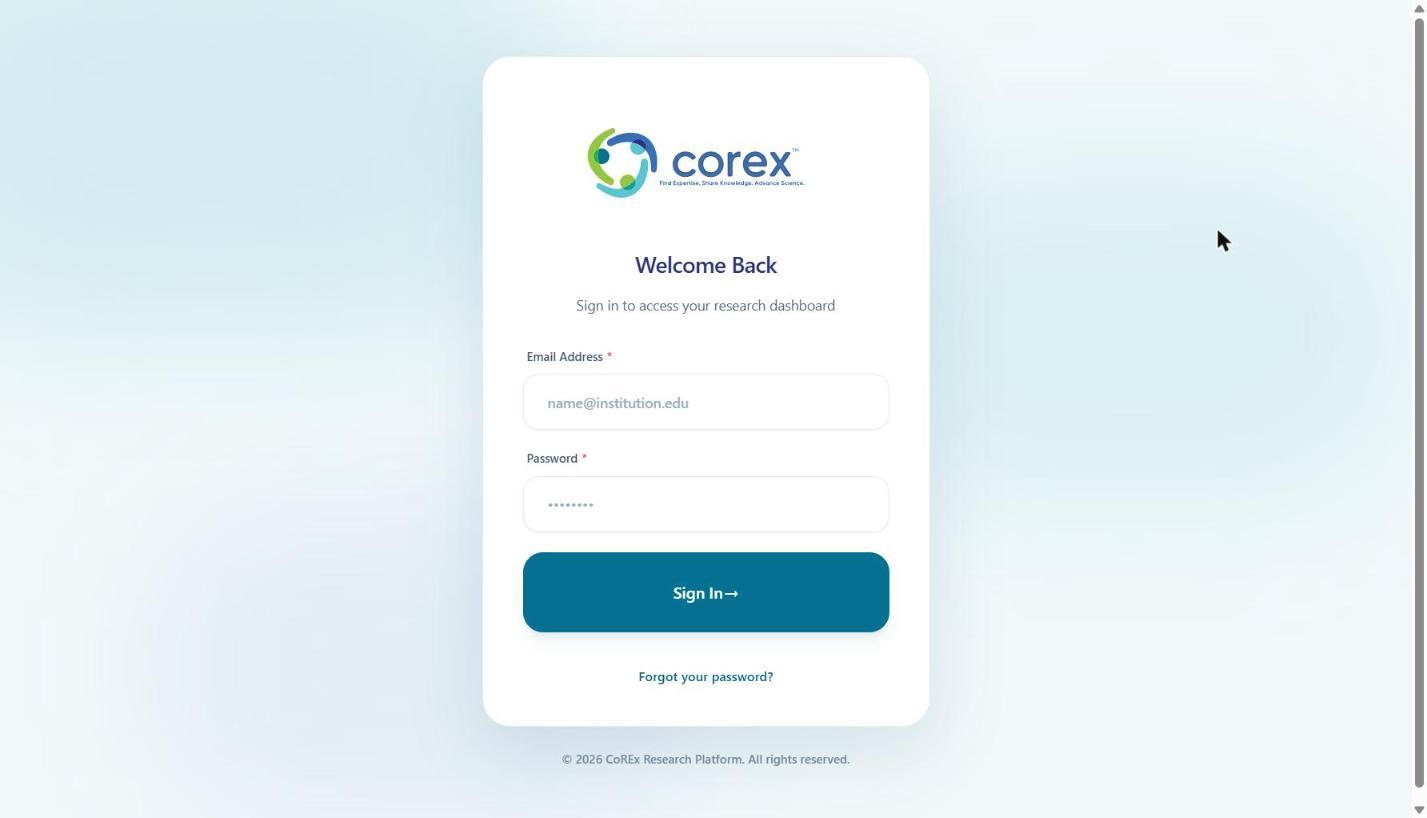
- 4You're taken to the sign-in page. Enter your email and new password and click Sign In. You can always sign in at https://my.corexresearch.com/auth/login.